01
Activity Summary Report
Summarise project and task activity so managers can quickly see workload, status movement, ownership and follow-up areas.

Move from day-to-day project execution to clear management reporting without rebuilding the story in PowerPoint or spreadsheets. Filter the work in Presto, choose the view you need, and take current project, task and milestone information straight into the governance meeting.

Presto turns the activities already being managed on the PDCA Dashboard and Project List View Cockpit into easy-to-digest governance views rich in current project, task, milestone and ownership information.
Summarise project and task activity so managers can quickly see workload, status movement, ownership and follow-up areas.
Spot where work is concentrated across PLAN, DO, CHECK and ACT so teams can identify imbalance and execution risk.

Review the current status and comments of each project milestone in one structured view for project governance discussions.

See the latest update across projects, issues and standard work activities so managers know where each item stands in seconds.
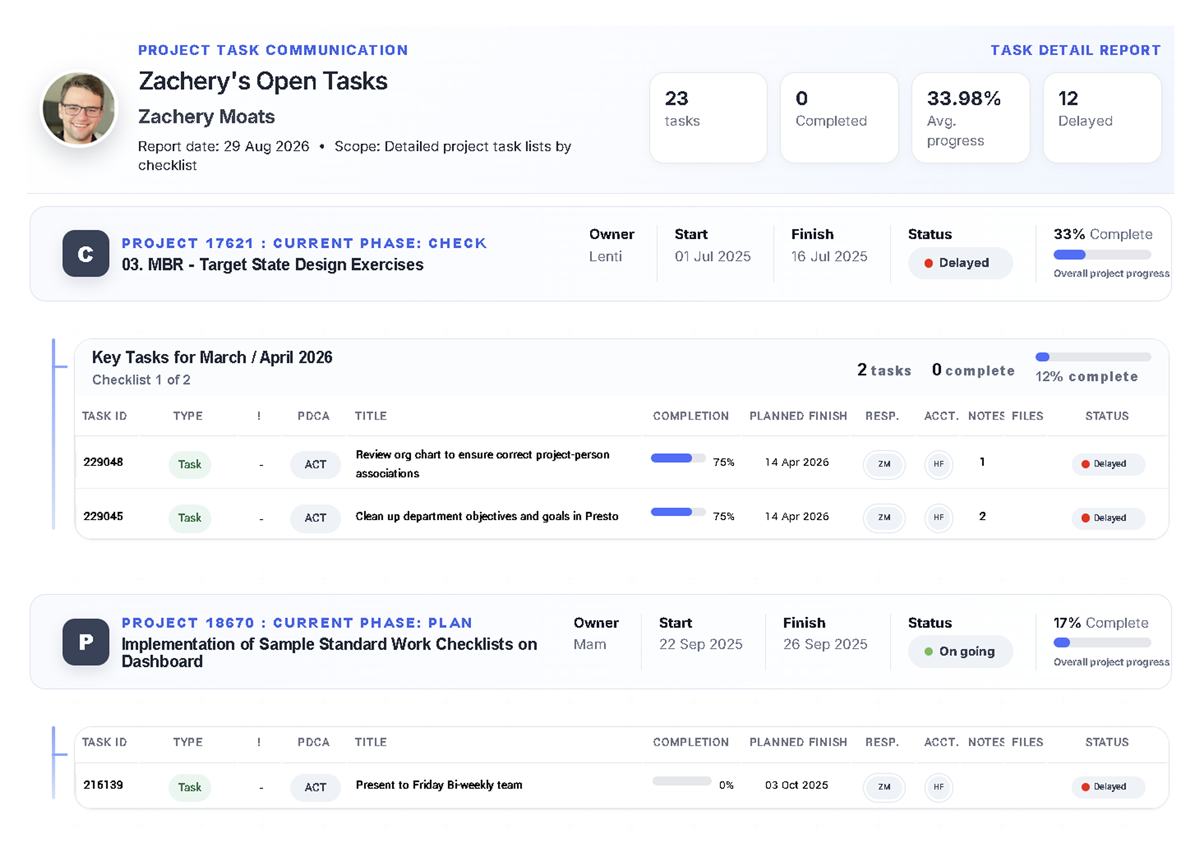
As managers navigate the PDCA Dashboard or Project List View Cockpit, they can narrow the view to the activities that matter and turn that working view into focused reporting for the next discussion.
NavigateStart from the live project, issue, ticket or standard-work portfolio.
FilterNarrow the situation to the activities relevant to the review.
ReportChoose the management view that best answers the question.
GovernUse the current information directly in the meeting or distribute it.

The same live execution data can support operational follow-up, PMO governance, senior-management reviews and physical visual management.
Give team leaders and staff a concise view of activity status, ownership and immediate follow-up.
Bring milestones, latest status and execution health into structured project governance.
Give senior management an easy-to-digest picture of the portfolio without manually rebuilding a reporting pack.
Print professional reports for OBEYA rooms and other physical governance environments close to the work.


Govern inside Presto when the team is online, or distribute the same current reporting through the channel that fits the audience.
Governance-ready distributionShare or print a professional view for meetings and visual-management environments.
Structured data exportTake the reporting data into deeper analysis or offline workflows when required.
Push from PrestoDistribute reporting through Presto's push-email system across the organisation.
Run the meeting from PrestoKeep the discussion connected to the current execution record instead of a copied reporting pack.
Keep project execution and governance connected, from the first task update to the management review.
Teams spend time copying statuses, milestones and commentary into spreadsheets, slides and manually maintained reporting packs.
Project, task and milestone information remains connected to the work and can be viewed, exported, printed or distributed when the meeting needs it.